Timeline
A downloadable tool for Windows and macOS
Timeline is a timer for the timeblind, built by a designer with ADHD.
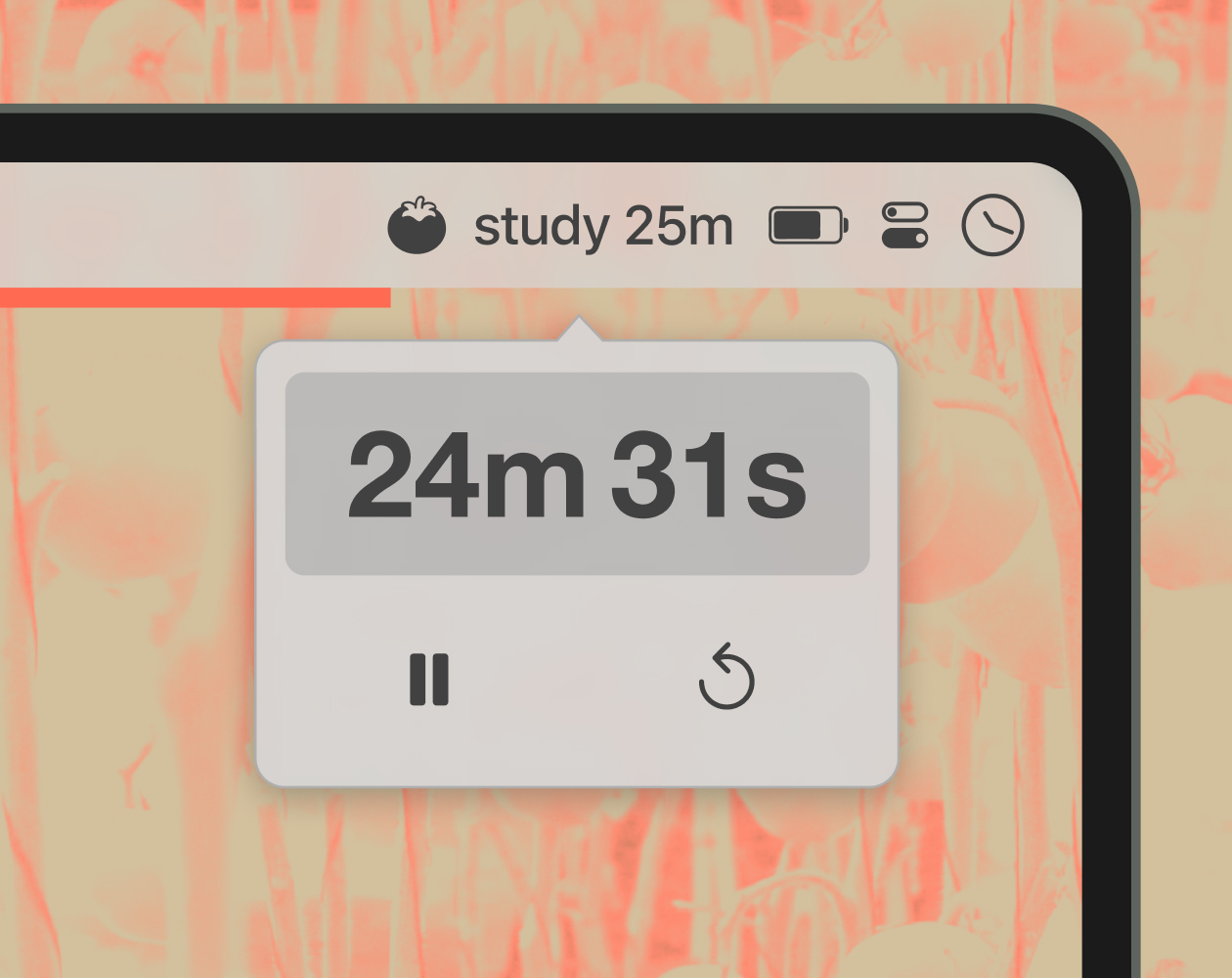
Click the icon, type a duration or an end time, and press Enter. A thin progress bar stretches across your screen and fills as time runs down. When it reaches the end, a chime sounds. Sleek, simple, and surprisingly functional.
Features (v1.0.0)
- Classic timer — a single countdown to a duration or clock time, with the option to chain multiple timers into sequences (e.g., 25m Deep Focus → 5m stretch → 25m Deep Focus). Rename steps, and advance or dismiss between them as you go.
- Hourly mode — chime at the top of every hour (with an optional half-hour chime), while the bar quietly fills toward the next one. A calm sense of time passing, without a glance at the clock.
- Pomodoro mode — four 25-minute focus sprints with short breaks in between, followed by a final 30-minute long break. For all you productivity freaks out there.
- Natural-language input — 45s, 10min, 1h30m, 4 days, 10 AM, noon, midnight, 2pm Wednesday, 9pm tonight — all valid.
- Unlock custom colors and sounds with Timeline+
Download
Install instructions
macOS 13 or later
- Unzip and drag Timeline to your Applications folder
- Right-click → Open the first time (required for apps without an Apple Developer signature)
- Click the menu bar or dock icon to start a timer
Windows 10 or 11
- Run the installer
- If Windows SmartScreen appears, click More info → Run anyway (required for apps without a code-signing certificate)
- Click the tray icon to start a timer
Updating
Download the latest version and install it over your current one. All settings and Timeline+ unlock are kept. Timeline+ is a license key that unlocks the same app, so there's nothing separate to reinstall. Changelog here.